mirror of
https://github.com/bitsycore/skiko.git
synced 2026-10-07 15:37:27 +00:00
 dima-avdeev-jb
9a4db01b90
dima-avdeev-jb
9a4db01b90
* insert ios and share modules

* 1.6.20

* free compiler args

* SwiftHelper

* skiko debug with AppCode

* remove redundant code

* remove redundant code

* simplify AppDelegate.swift

* remove redundant storyboard

* simplify

* simplify

* simplify

* Revert "1.6.20"

This reverts commit a2b1d769fa0ea0bc114b5e92bb5b285ad5f45cba.

* samples/ios-appcode

* move shared to iOS

* move iOS to SkiaMultiplatformSample

* smiplify kotlin iOS files

* revert some changes

* revert some changes

* readme

* settings gradle skiko debug comment

* check SKIKO_COMPOSITE_BUILD=1

* runIosSim inside macos check

* readme

* readme

* sources in project.yml

* readme

* readme

* fix README.md after review

* fix README.md after review
848 B
848 B
Skia multiplatform samples
run iOS with Xcode
- Works only on Mac with Intel CPU (for now)
- Install xcodegen
- run
xcodegen - run
open SkikoSample.xcodeproj
run iOS with debug in AppCode
- If you need to debug skiko sources without publish to maven local, then set environment variable
export SKIKO_COMPOSITE_BUILD=1(on MacOS in ~/.zshrc) - Install KMM plugin for AppCode
- In AppCode open samples/SkiaMultiplatformSample (File -> Open).
Choose "Open as Project".
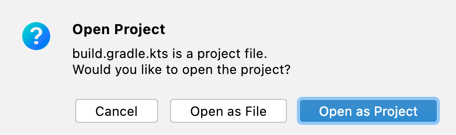
- Set target device and Run

- Now you may use breakpoints in common and native Kotlin code


run on browser:
./gradlew jsBrowserRun
run desktop awt:
./gradlew runAwt
run desktop on native MacOS
./gradlew runNative